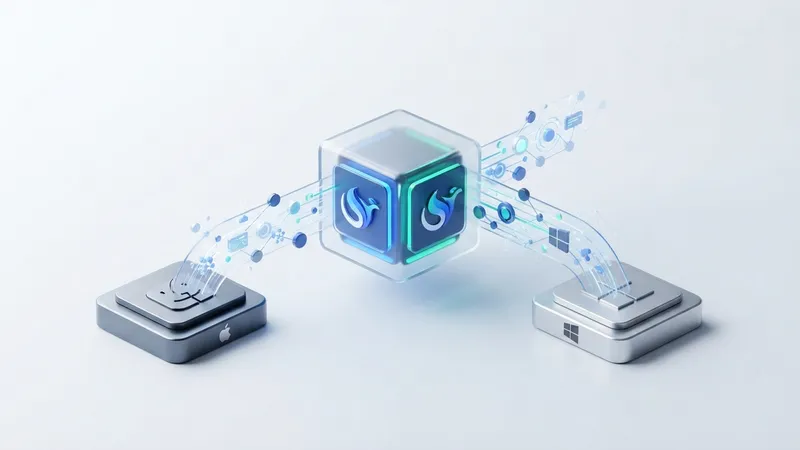
DeepSeek has officially launched its Harness desktop application, providing out-of-the-box installers for macOS and Windows, eliminating the need for terminal deployment. This release also includes a login bonus, significantly enhancing the user experience.
Unlike traditional AI Agents that require web access and prompt input, the Harness desktop version operates persistently in the background on local computers, capable of performing scheduled tasks and even installing new functionalities autonomously, making it akin to a personalized intelligent assistant. The installation process mirrors that of any standard application; users log in using their DeepSeek official open platform account balance. The interface remains largely consistent with the previous terminal version, featuring four Agent presets (Standard, PTC, Minimalist, Creative modes), extensive plugin capabilities, and support for custom third-party models.
DeepSeek has notably shifted Harness's positioning. The official introduction now emphasizes daily office scenarios rather than solely programming capabilities. The Harness desktop version can directly browse and process various files, including Word, Excel, PDF, Markdown, and code, within its Workspace. For instance, users can instruct it to organize information from a Word document, analyze data and generate charts from an Excel file, extract key details from a PDF, and ultimately create presentations. The 0.2.0-rc.1 version, released on September 28, specifically optimized the text selection and preview experience for Office and PDF documents.
During practical testing, Harness demonstrated impressive document processing capabilities. When tasked to read a mixed folder containing PDFs, Word, Excel, Markdown, and images, organize important information, cross-verify data, and generate a report outline and a PPT, it achieved a processing speed of up to 300 tok/s. It autonomously determines which files to read, which tools to invoke, and presents generated files and code changes centrally within the conversation. Users can directly preview file content, view code differences (Diff), submit further modification requests via chat, or open files with local applications for advanced editing. This addresses a critical challenge for Agent products: user willingness to integrate them into daily workflows.
Another significant feature of the desktop version is Automation, an on-demand plugin that is enabled by default. Users can set up recurring tasks, such as "Every Friday at 5 PM, read the newly added materials in this project folder and compile a weekly report." Scheduled tasks will continue to execute even if the Harness desktop application is closed. Currently, this feature is in the lab phase and requires manual activation on the plugin page. Other lab features include agent teams, automatic authorization review, and voice input.
The voice input function necessitates downloading a local speech recognition package of approximately 1GB. This feature is powered by Alibaba's (Ali Tongyi Lab / Damo Academy) SenseVoiceSmall model, which demonstrated high accuracy during testing. These plugin functionalities streamline previously cumbersome browser-based operations into a seamless in-app experience, fostering better integration with local applications.
Since its initial launch, #DeepSeek has championed Harness's design philosophy: "Everything is a plugin." The terminal, Agent loop, tools, skills, and even the interactive interface can all be integrated as #plugins into Harness. The introduction of the desktop version finally makes this system easily accessible to general users.
The new version introduces a comprehensive plugin management page, allowing users to install plugins simply by entering an npm package name, as well as view sources, disable, or uninstall them. According to DeepSeek, approximately 60% of Harness users have utilized third-party plugins, indicating that plugins are a core usage pattern. DeepSeek plans to establish an official plugin marketplace in the future. More interestingly, when a desired plugin isn't available, users can leverage Harness's own capabilities to generate one.
The Creative mode within Agent presets is specifically designed for generating DSH plugins. For example, with a simple command like "Help me write a draft checker plugin," Harness will autonomously read plugin development skills, check available APIs, write JavaScript code, and invoke the plugin manager for installation. After roughly ten minutes, a draft checker plugin will appear within the Harness interface. This process, where AI directly modifies its own software functionality, is far more transformative than merely generating lines of code. It empowers ordinary users to shape their AI's capabilities, pushing past the traditional boundaries where software functions are solely determined by product managers and developers.
Regarding future development, DeepSeek intends to further enhance the prosperity and security of the plugin marketplace, strengthen sandbox isolation security, and refine the "Agent team" functionality.
[AgentUpdate Depth Analysis]The release of DeepSeek Harness desktop marks a significant productization milestone in the AI Agent ecosystem, particularly in local deployment and user experience optimization. Unlike developer-centric frameworks such as LangChain or LlamaIndex, Harness significantly lowers the barrier to entry for general users by offering an out-of-the-box desktop application. Its "Everything is a plugin" design philosophy, coupled with the Creative mode allowing the agent to self-program new plugins, heralds a future where the agent ecosystem is increasingly "user-defined." This stands in stark contrast to early autonomous but user-unfriendly projects like AutoGPT or BabyAGI; Harness emphasizes practicality and deep integration with daily workflows. By integrating file processing, #automation, and voice interaction, it aims to become a true "personal productivity assistant." In the long term, this highly customizable, locally integrated agent model will accelerate the proliferation of AI from backend capabilities to front-end applications, particularly in personal desktop intelligence and enterprise internal process automation. Future AI agents will evolve beyond isolated tools to become intelligent partners capable of learning, adapting, and even modifying their own behavior, offering users an unprecedented personalized AI experience.